

We talk a lot about what you should be doing in QuickBooks Online. Here are ten things you shouldn’t do.
By now, you’re probably well into your 2026 accounting work. How’s it going with QuickBooks Online? If you’re new to the site, you may still be struggling a bit. But even old-timers run into snags sometimes. Good as it is about helping you keep everything organized, QuickBooks Online is so flexible and feature-rich that it’s easy to neglect some critical chores or to take actions that can scramble your books.
We all tend to stick with the way we’ve always done things. And if you’re doing it right, that’s not a problem. But sometimes it’s good to take a step back and look at what you could be doing better – and what you’re not doing. A course correction may be in order if you’re making mistakes that are easily avoided. Here’s a look at ten of them.
Deleting Personal Transactions
If the financial transactions you import into QuickBooks Online are a mix of business and personal, don’t just delete the personal ones. This will cause problems with tax preparation and compliance since they’re a part of your bank statements. Instead, leave them there and categorize them as Owner’s Draw or Owner’s Contribution, two sub-accounts located under Owner’s Equity in the Category list.
(Not sure what Owner’s Equity is, or have other questions about the Chart of Accounts? Please ask us.)
The best solution, of course, is to have separate checking and credit/debit card accounts for your business transactions. It’s well worth the additional bank fees.
Creating Excessive Categories
Speaking of categories, you probably know that QuickBooks Online allows you to create new ones. This can be a good thing, but it can also cause confusion. For example, you might have categories for Office Supplies and Miscellaneous Supplies. To deal with this, you could combine categories, rename any unclear ones, or delete unneeded ones.
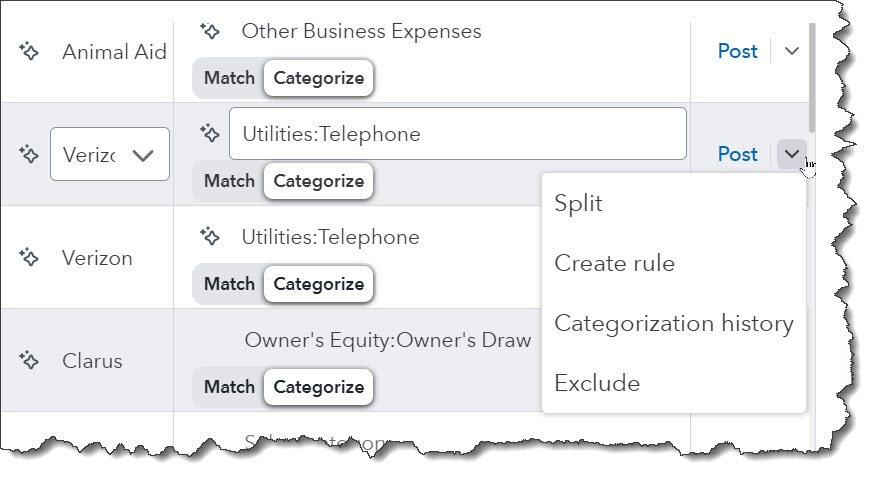
It’s so important to have a clean set of categories. We don’t recommend changing the default list a lot, but sometimes it’s necessary.
Not Managing the Undeposited Funds Account
It’s likely that you have incoming payments routed to your Undeposited Funds (or Payments to Deposit) account. You should be checking this account regularly to see if you need to set up a deposit. Not doing so can cause duplicate payments and incorrect bank deposits.
Classifying Transactions Incorrectly
It will take some extra time, but your records, reports, and tax filings will not be accurate unless you always assign transactions to the correct categories and accounts. For example, a loan repayment should not be classified as an expense, but rather split to reflect the principal and interest. Let us know if you run into problems here.
Neglecting to Process Open Invoices and/or Overdue Bills
Open invoices and overdue bills should be addressed as soon as you possibly can. Besides creating problems with your vendors and customers, neglecting these items will make it impossible to get a good read on your cash flow.
Not Documenting Purchases Well Enough
This is especially critical for large purchases. Even if you enter and categorize these items correctly in QuickBooks Online, you may not remember later what you bought. And that can mean trouble come tax preparation time – and certainly if you’re ever audited.
The site offers two ways to create a reminder when you fill in an expense form. You can add Notes at the bottom of the transaction and/or Add attachment. You can do the same if the expense came in as an imported bank transaction.
Not Defining Rules Carefully Enough
Creating rules for managing similar transactions can save time. But if you’re going to use them, make sure you’re setting them up so they only affect the transactions you’re targeting. Always use the Test rule button.
Not Reconciling Accounts
You know how important this is, but it may just be too overwhelming and exacting for you to take on. Yes, it’s time-consuming detail work. QuickBooks Online makes this task much easier than the old paper statement and checkbook register method. But doing it incorrectly is worse than not doing it at all. We can take on this chore for you if you’d like.
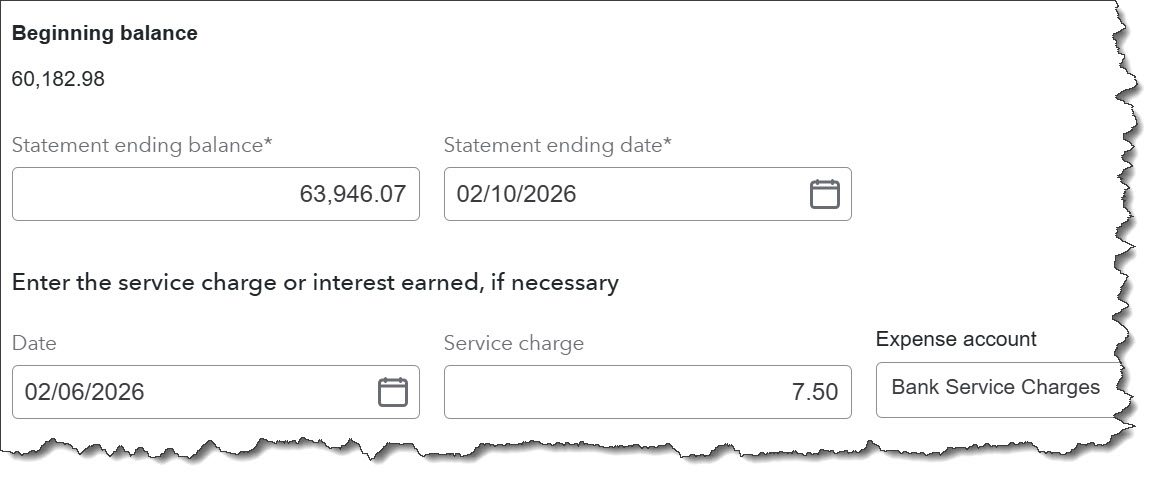
Reconciling your bank accounts incorrectly is worse than failing to reconcile. Let us know if you want us to handle this for you.
Not Using the Class and Location Options
This isn’t really a mistake, and it may not be overly useful to you depending on the size and complexity of your business. But QuickBooks Online gives you the ability to group related data in your transactions. You can use Classes, for example, to isolate segments like product lines or departments. Locations, of course, can define individual stores or geographical areas.
To set these up, click the gear icon and go to Lists | All lists | Locations or Classes.
Not Using the Best QuickBooks Online Version for You
QuickBooks Online comes in multiple versions to accommodate the many differences in U.S. small businesses. If you’re finding that it’s not doing everything you need, talk to us about upgrading.
Accounting has so many moving parts that we can certainly understand how mistakes get made. We hope you feel that you can contact us if you’re struggling with doing everything right. We can help with training and can even take over some of your bookkeeping tasks if you’re overwhelmed.